Texts from Lumina
Program: Texts from Lumina, an AI personal assistant app.
Run by: Bioscope.ai, Inc. (Bioscope), Carmel, Indiana, bioscope.ai.
Who gets texts: only people who text START to a Lumina number themselves.
Frequency: message frequency varies. Msg & data rates may apply.
Help: reply HELP, or write to lumina-support@bioscope.ai.
Stop: reply STOP to cancel.
Privacy: Privacy Policy. Mobile numbers and opt-in data are never shared with third
parties or affiliates for marketing.
Lumina is a personal assistant powered by artificial intelligence. Each Lumina user's assistant has its own phone number, and can text the user, and people who choose to receive its texts, about what the user asked it to do: a reminder, a reservation, a message passed on, an answer to their question. No marketing or promotional texts are sent.
How you opt in
Nobody receives a text from Lumina without first texting START to Lumina's number themselves.
Lumina users, in the Lumina iPhone app:
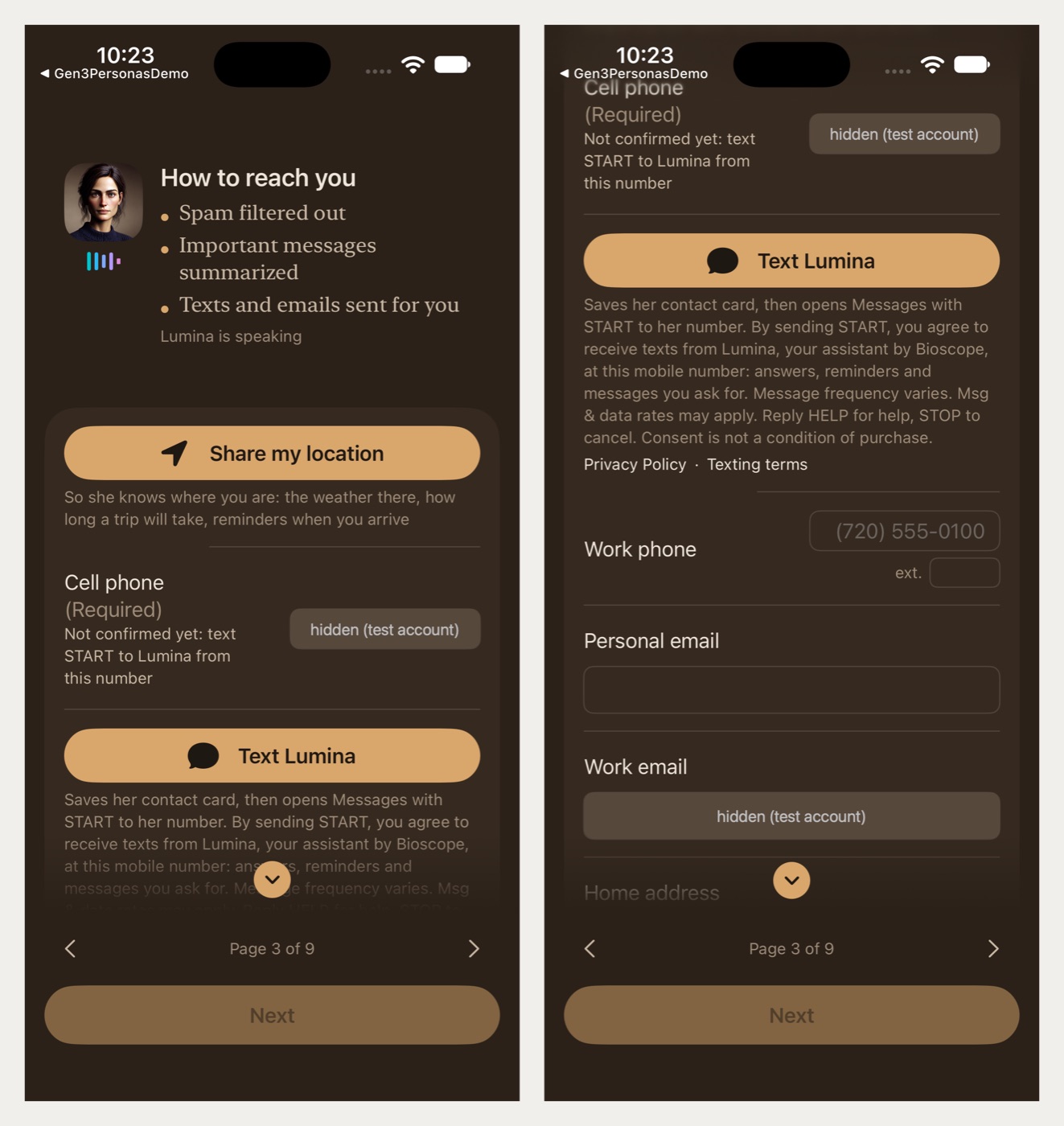
- During setup, on page 3, How to reach you, enter your cell phone number. (Later: Menu → Settings → About you → Go through the setup pages again.)
- A Text Lumina button appears under the number, with this text directly below it:
"Saves her contact card, then opens Messages with START to her number. By sending START, you agree to receive texts from Lumina, your assistant by Bioscope, at this mobile number: answers, reminders and messages you ask for. Message frequency varies. Msg & data rates may apply. Reply HELP for help, STOP to cancel. Consent is not a condition of purchase."
followed by links to the Privacy Policy and to this page (Texting terms). - Tapping Text Lumina opens the phone's Messages app with
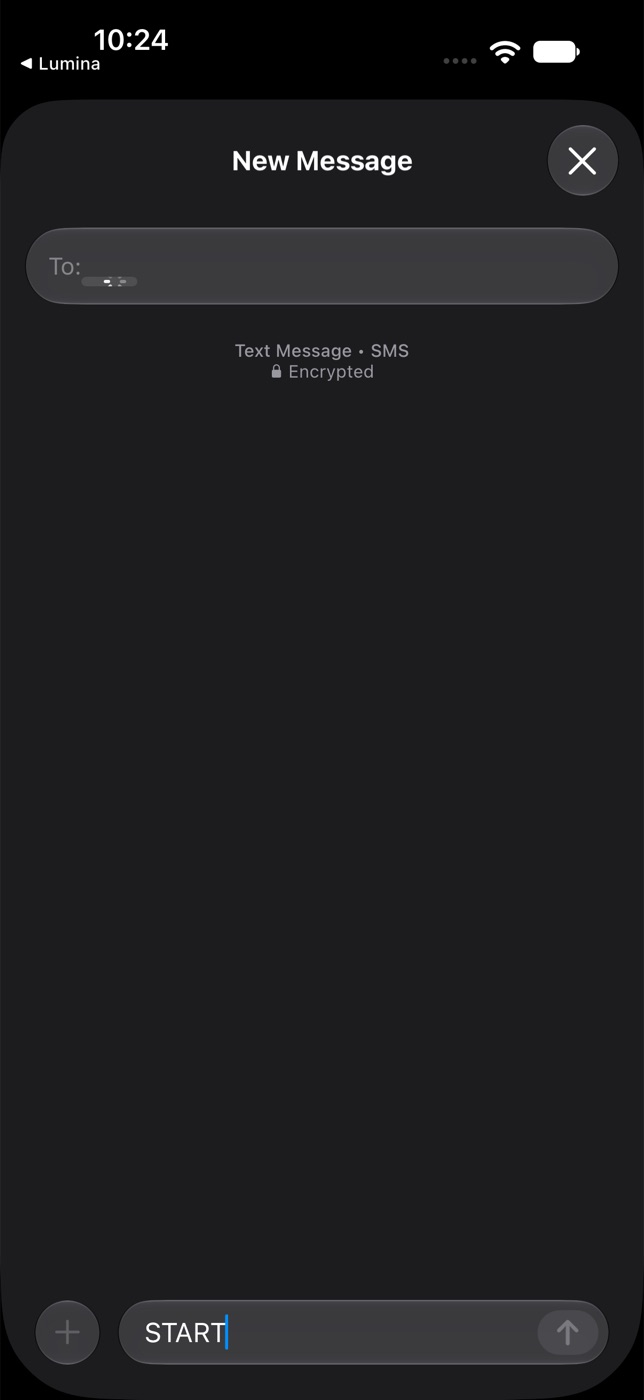
STARTaddressed to the assistant's number. Nothing is sent until you tap Send yourself. Sending it is the opt-in.
Anyone else (a family member or colleague of a Lumina user): the user gives you the assistant's number,
and you text START to it from your own phone. These terms apply to you, and the confirmation below
repeats them.
A business or person who texts a Lumina number first gets replies in that conversation only.
After START you receive this confirmation: "Lumina: you're subscribed to texts from your assistant.
Msg frequency varies. Msg & data rates may apply. Reply HELP for help, STOP to stop."
What to expect
Message frequency varies with what the user asks the assistant to do. Message and data rates may apply. Every first text from a Lumina number says who is writing and that you can reply STOP. Consent to receive texts is not a condition of any purchase.
Stop and help
Reply STOP (or STOPALL, UNSUBSCRIBE, CANCEL, END, QUIT) at any time and no more texts come from that
number. You receive one last text: "You won't get more texts from Lumina at this number. Reply START to resume."
Reply START to receive them again.
Reply HELP (or INFO) for help: "Lumina, an AI assistant by Bioscope. Help: lumina-support@bioscope.ai.
Reply STOP to stop texts." Or write to lumina-support@bioscope.ai.
Carriers are not liable for delayed or undelivered messages.
Your number
Mobile numbers and opt-in information are never sold or shared with third parties or affiliates for marketing or promotional purposes. Texts are carried by Telnyx, our telephone carrier. See the Privacy Policy and the Terms of Use.